Here are two extension for both Chrome and Firefox that can block the notifier.
Chrome Extension: Block Extensions on Google sites except Google+
BlockPlus, a simple Google Chrome extension written by Nic Cubrilovic can hide the notifier from all your non Google Plus sites, so that you can focus on all your important work before you visit Google Plus to read the updates from your circles.
BlockPlus removes any links to Google+ in the bar that sits on all Google sites, including the profile link, circles, etc. It also removes the notifier. It blocks the requests, and also hides those elements from view - so you are not only hiding it but saving on 6-7 HTTP requests that normally take place each time you hit the global nav.

Firefox Extension: Block notifications on All Google Apps except Google+
Google+ Notification Blocker is a Greasemonkey script for Firefox that block notifications on all Google websites other than Google+ so that you can work without getting distracted while you work.
The best thing of this extension is that it works also with Google Chrome by simply hiding the notification button.
Install Google+ Notification Blocker by imwill
 Plus Minus is an extension for Google Chrome that makes is easy to select which Circles show up in your Google+ Stream by default. If you want to hide all those long posts from the Geeks that you have in one of your circles and just make only the posts from your friends and family appear by default, Google Plus Minus will come in handy.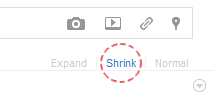

 Mark a post as read by clicking the triangle next to the person's picture. This will shrink the read post into just two lines.
 This is another useful extension for Google Chrome. GTools+ can translate individual Google Plus posts that aren't in your language. It can display notifications for your Gmail and Google Reader account on the Google Menu Bar, change your menu display name, move Google Chat to the menu bar and more.
 The search bar on your Google profile and Google+ account is limited only to Google public profile search. If you want to search for posts, profiles, Google buzz posts or posts from Google reader, check out these extension for Google Chrome.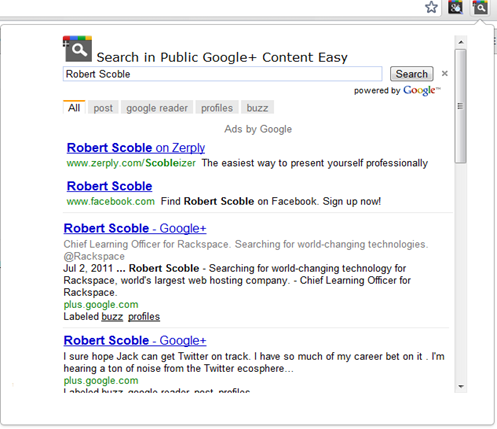
 Google.